How Does Azure Standard Work? Finding a Drop and Picking Up Your First Order
How does Azure Standard work? Learn how to find a local drop, place your first order, and know what to expect on pickup day.
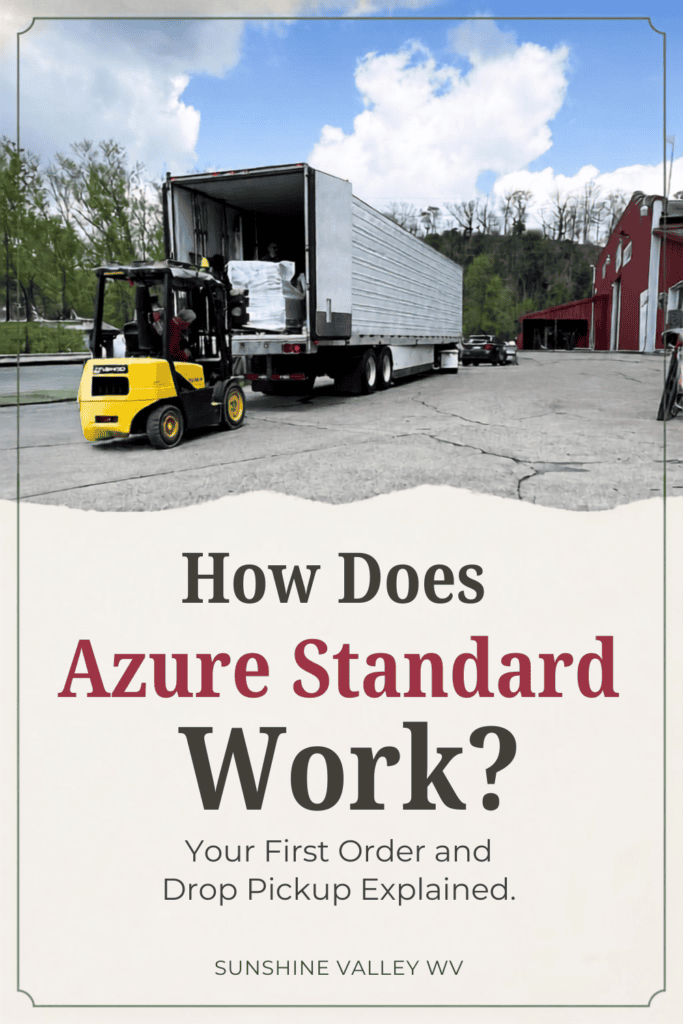
If you have ever heard someone say they meet a semi-truck in a parking lot to pick up groceries, there is a good chance they were talking about Azure Standard.
I’ll admit that the ordering process can sound a little unusual at first. You shop online, choose a local pickup location, and then meet the Azure truck when it travels through your area.
It is not quite as convenient as having groceries delivered directly to your front door, but Azure Standard gives our family access to organic pantry staples, bulk ingredients, and harder-to-find products that aren’t available in our small local stores.
Once you understand how the process works, it really isn’t complicated.
In this guide, I’ll explain how to find an Azure Standard drop, place your first order, and know what to expect when the truck arrives.
This post may contain affiliate links. Which means I may make a small commission at no additional cost to you. For my full disclosure click here.
What Is Azure Standard?
Azure Standard is a family-owned company that sells natural and organic groceries, household products, garden supplies, animal products, and bulk pantry staples.
Instead of operating traditional grocery stores, Azure delivers orders to community pickup locations called drops.
Each person places and pays for her own order through the Azure Standard website. The individual orders are then loaded onto an Azure truck and delivered together to the selected drop location.
Azure currently delivers to more than 3,800 community pickup locations across the United States.
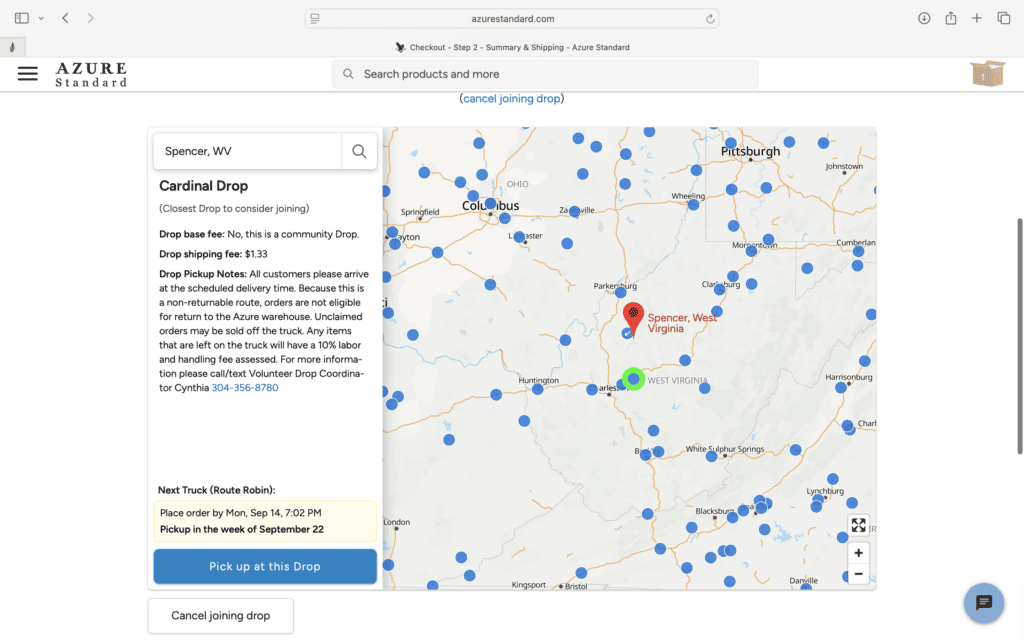
You can use the official Azure Standard drop locator to see whether there is a pickup location near you.
What Is an Azure Standard Drop?
An Azure drop is simply a designated place where customers meet the delivery truck and collect their orders.
Drops can be located in:
- Store parking lots
- Church parking lots
- Farms
- Local businesses
- Private properties
- Warehouses
- Other areas with enough room for the truck and customers
Every drop has a coordinator who helps communicate important information and keeps the pickup organized.
Customers receive ordering reminders and delivery information from Azure by email. The coordinator may also contact members if there is a schedule change or a detail specific to that location.
The exact pickup process varies slightly from one drop to another. Our drop has enough room for the semi and equipment to unload the orders, while other community drop may organize things differently.
How to Find an Azure Standard Drop Near You
To locate an Azure drop:
- Visit the Azure Standard website.
- Open the drop-point locator.
- Enter your ZIP code or location.
- Review the available drops in your area.
- Select the location that works best for you.
Pay attention to both the distance and the delivery schedule. A drop that is slightly farther away might have a pickup time that works better for your family.
You can join an available drop while placing your first order.
If there isn’t a convenient location near you, Azure also provides information about starting a new drop. A new location must be accessible to the delivery truck and meet Azure’s minimum combined order amount.
Wondering how Azure Standard works? Learn how to find a local drop, place your first order, and know what to expect on pickup day.
How to Place Your First Azure Standard Order
Once you have found a drop, you can create your account and begin shopping.
Azure carries individual items as well as larger bags, cases, and bulk quantities. Be sure to look carefully at the product size before adding anything to your cart. A photograph can make a five-pound bag and a twenty-five-pound bag look surprisingly similar!
As you shop, check:
- The product weight or quantity
- Whether the item is refrigerated, frozen, or shelf stable
- The estimated availability
- The order cutoff date
- The scheduled delivery information
- The price per pound or unit
Azure currently has a $50 minimum for individual orders. You can still place an order for less, but you may be charged a $5 fee.
You may also see that each drop has to reach a $550 minimum, but don’t let that number scare you! You aren’t responsible for ordering $550 worth of groceries yourself. That total includes everyone’s orders being delivered to your drop.
Minimums and policies can change, so it’s always a good idea to double-check the current information on Azure’s website before placing your order.
When Will I Be Charged?
Each customer places and pays for her own order directly through Azure Standard. The drop coordinator does not collect payment or manage individual customer accounts.
Review Azure’s current pricing and billing information during checkout so you understand when your payment method will be charged and how unavailable products or substitutions are handled.
What Happens After You Place an Order?
After placing your order, watch your email for updates from Azure Standard.
You should receive information about:
- Your order confirmation
- The ordering cutoff
- The expected delivery date
- Your pickup location
- The estimated arrival time
- Any delays or schedule changes
Truck routes can be affected by weather, traffic, mechanical problems, and the amount of time required at earlier stops.
For that reason, the pickup time may occasionally change. I recommend checking your email before leaving home, especially if you have a longer drive to your drop.
What Should You Bring to an Azure Pickup?
What you need will depend on the size and contents of your order, but I recommend bringing:
- Coolers or insulated bags
- Ice packs for frozen and refrigerated products
- Enough room in your vehicle
- Your order confirmation or customer information
- A basket, box, or tote for smaller boxes
- Weather-appropriate clothing
- A little flexibility in case the truck is delayed
If you ordered a large bag of grain, several cases of food, or frozen products, think about how you will load and transport everything before leaving home.
It is much easier to arrive prepared than to discover that your groceries will not fit around everything already sitting in the back of your vehicle.
What Happens When the Azure Truck Arrives?
Every drop handles pickup a little differently, so be sure to follow the instructions from your drop coordinator.
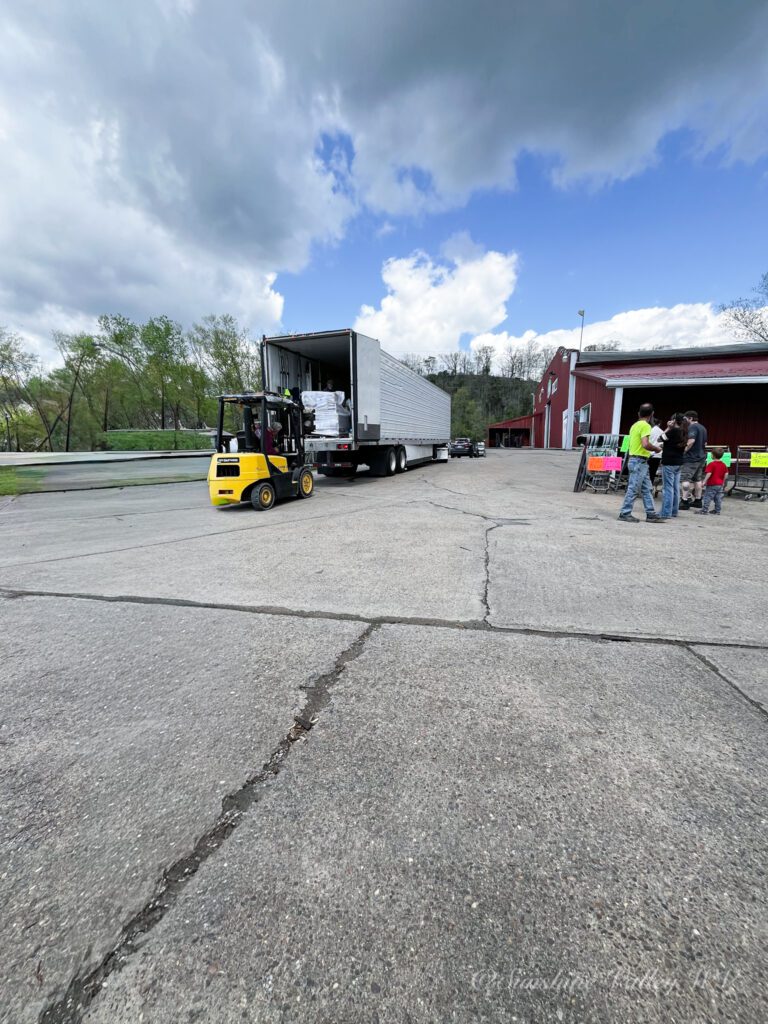
At our drop, everyone works together to unload the pallets and sort the boxes. Our coordinator sets out signs with each member’s name, and we place the packages beside the correct sign as they come off the truck. It sounds like it could be chaotic, but the signs make the process surprisingly simple!
Once everything is unloaded, we gather the dry, refrigerated, and frozen portions of our individual orders. Before leaving, I always make sure:
- I have every part of my order.
- Each box and item has my name on it.
- My refrigerated and frozen products are safely packed in the cooler.
- Nothing is missing or damaged.
Larger orders are almost always divided among several boxes, and frozen products are often kept separate from the shelf-stable items. Make sure you’ve collected every part of your order before heading home.
Do You Have to Help Unload the Truck?
Whether you help unload the truck depends on the drop. At ours, everyone pitches in.
I’ve belonged to a couple of different drops over the years, and each one has handled delivery a little differently. We’re fortunate to have a forklift at our current location, which makes unloading the pallets much easier.
The previous locations didn’t have a forklift. The driver simply opened the pallets, and we unloaded and sorted the boxes right from the back of the semi-trailer. Your drop coordinator should let you know what to expect before your first pickup.
What If You Cannot Make the Pickup Time?
Contact your drop coordinator as soon as possible if you realize you cannot attend the scheduled pickup.
Some coordinators may be able to hold an order temporarily or arrange a later pickup if they receive advance notice. Others may not have the space or refrigeration required to store groceries safely.
Never assume your order can be left behind. Make arrangements before the truck arrives whenever possible.
If I know I absolutely can not make the drop time, I will ask a family member who is already going to pick up to grab mine if they can.
Is Ordering From Azure Standard Inconvenient?
It can be.
You have to plan ahead, place your order before the cutoff, and be available when the truck comes through your area. Depending on your location, you may also need to drive farther than you would for an ordinary grocery trip.
Azure gives me access to certain ingredients and bulk products that would otherwise require visits to several stores or ordering from multiple websites. I think that more than offsets the inconvenience.
For the products we regularly use, one planned pickup can be worth the extra effort.
What I Recommend Ordering First
For your first order, I would not fill your cart with unfamiliar bulk products simply because they appear economical.
Start with a few things your family already uses and compare the sizes and prices carefully.
Good categories to explore include:
- Baking ingredients
- Whole grains
- Dried beans
- Rice
- Herbs and spices
- Frozen fruits and vegetables
- Natural household products
- Gardening supplies
- Gamma Seal Lids for Food Grade Buckets
My personal Azure favorites include:
- Organic All-Purpose Flour
- Azure Market Peanut Butter
- Azure Market Coconut Oil
- Sierra Nevada White Cheddar Cheese
- Azure Market Frozen Broccoli
Starting with a manageable order lets you experience the pickup process without having to unload half a pantry on your first trip.

Is Azure Standard Worth It?
Azure Standard may be worth trying if:
- You have limited access to natural or organic groceries locally like us.
- You regularly buy pantry staples in larger quantities.
- You want access to harder-to-find ingredients.
- You are willing to plan a monthly or scheduled grocery order.
- You have a convenient drop location.
- You compare prices instead of assuming every bulk item is cheaper.
It may not be a good fit if the nearest drop is too far away, the pickup schedule is impossible for your family, or you prefer shopping in small quantities without planning ahead.
I appreciate that Azure gives our rural family another option. We do not use it for everything, but it has helped us find products that aren’t readily available close to home.
Ready to Try Azure Standard?
If you have been curious about Azure but felt intimidated by the semi-truck pickup, I hope this guide made the process feel a little less mysterious.
Find a nearby drop, begin with a manageable first order, bring a cooler, and pay attention to the instructions from your coordinator. After you have completed one pickup, the whole process makes much more sense.
You can use my link below to browse Azure Standard, create an account, and look for available pickup locations near you.
Have you ordered from Azure Standard before? If you have any questions about the process, leave them in the comments and I’ll share what I’ve learned from our experience.